
This is an important experiment for myself, as I really want to make a real world location as part of my level. This technique could improve and speed up my process a lot!

I was using Photoshop to edit my image and I was fallowing the tutorial (link in the reference list). The video contained information about how to create height maps, but they were some sort of different type of maps. I needed an image that would be good enough to create an entire terrain, detailed enough to give the levels, but not too much for the terrain to appear pointy in flat areas. Unfortunately, I believe that the Google Earth image has shadows, which would make a problem for the software to make a proper terrain.
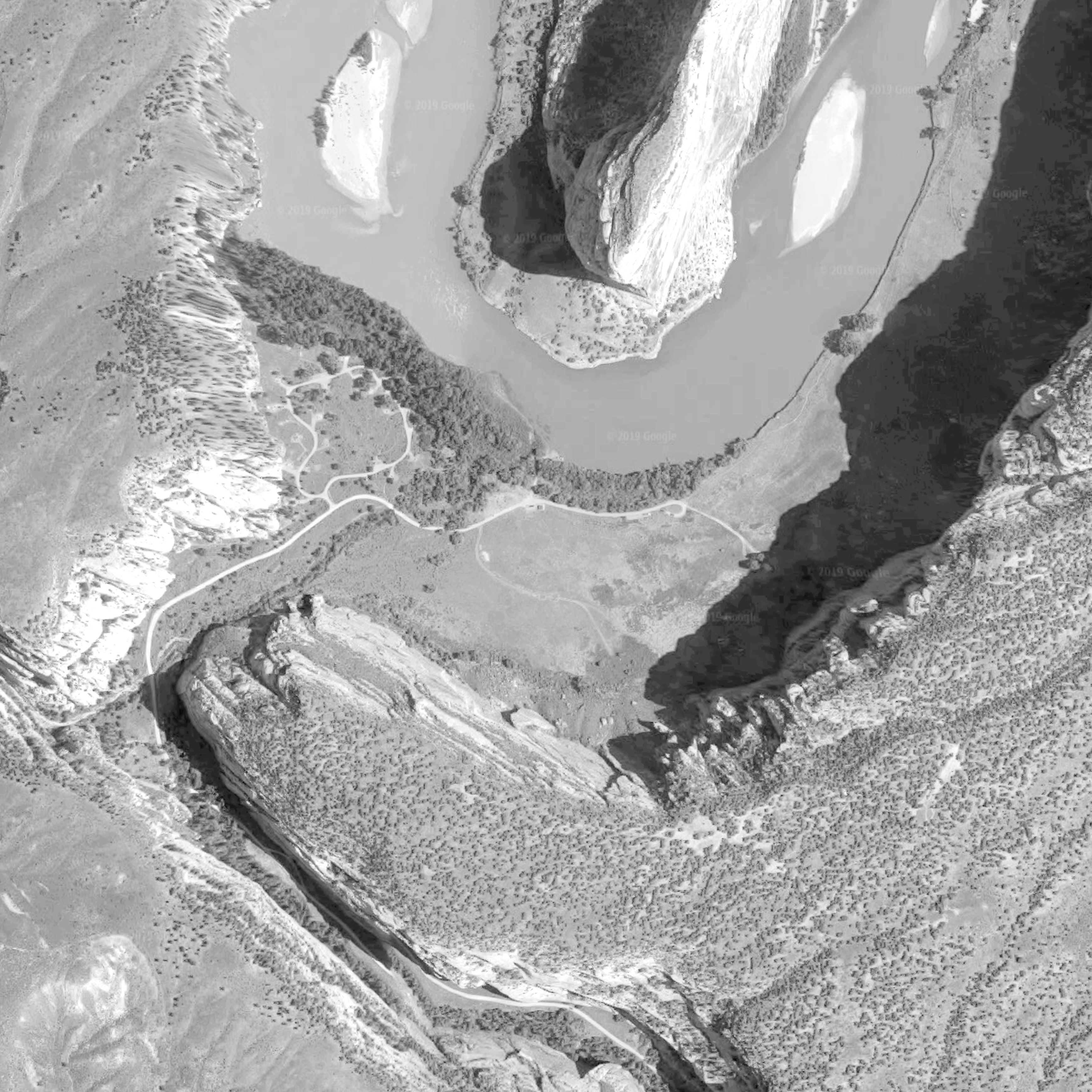
I was so hyped to do it, that I didn’t spent enough time to edit the actual Google Earth image, which resulted in a very disappointing terrain.

Because I’m completely not experienced with height maps, my texture generated in Photoshop wasn’t clear enough to give me a nice result. The imported level become a huge mess with many pointy geometries. The actual terrain wasn’t even in a similar shape as the real one in Google. This method completely didn’t work for me.
However, I’ve heard about a specific software that generates height maps (especially from Google Earth screenshots), so I may consider buying a licence and experimenting with it again in the future. For this specific project I probably won’t be using this technique anymore, as this will require lots of research and experimenting and may affect my time management.
REFERENCE LIST:
Google Earth, (2019), Dinosaur National Monument 40°31’13.8″N 108°59’30.6″W, elevation 200M, 3D map, [Viewed: 12 April 2019]
 Raptor's Rage