Sketchfab Shed Scene

I’ve really enjoyed doing a previous set of assets and adding them on Sketchfab, that I’ve decided to do one more. This time I’ve used my assets from shed to create a scene. I’ve also liked the actual effect, so I’ve copied the settings to get the same result.

After the end of this project, I may come back and redo the materials, but so far I really like the effect. It’s different, so I may also make another copy of it with materials and leave this one as it is. It’s nice to look at and I’m happy with it in general.

I’ve also post it onto the Artstation as before:

Sketchfab Lab Scene

I have decided to put a small scene and upload it to Sketchfab. The materials on the scene are deleted, because at this point I don’t have enough time to work on them, but after the project is finished, I’ll add materials to get a perfect piece for my portfolio.

The scene contain assets that I’ve made for this project, placed over and over several times to create a busy workplace for scientists. I’ve also changed some basic settings for the scene, to get this effect.

I’ve also added the same assets onto Artstation:

Nothing special, but at least I’m showing my work to the wider public.

Fortnite World Cup

This is an event that I am personally interested in. I’ve spend half of a day watching teams of two players competing in a game LIVE on a YouTube live stream. This type of event was the first one ever hold for the Fortnite and was an ongoing even from back in April. Most of the time it was just a qualification stage and the for last few days (July 26-28) the event was held in an arena in New York City. That’s when the finals took place and the winners of the entire competition were announced.

Between the games, the team of guests were talking about the important factors about the game. Some of the information included building the world, creating characters, upcoming updates, new features etc., so this was an interesting part for the developers in general. Although it didn’t cover any technical aspects of creating a game, it was still an interesting thing to watch.

Although the entire event didn’t have much to do with my project, I’ve enjoyed watching the gameplay and was cheering for my favourite players. I didn’t wanted to waste too much time on watching something irrelevant to what I’m working on, so I’ve only watched the duos trying to get their hands on $3 MILLIONS! This is a life changing competition, that allow players to become milliners to the rest of their lives. While watching, I’ve realised that games become a huge factor in peoples lives as most of those competitors were just a teenagers. The games play a huge role in our lives now, and will only become more important in the future.

You can find more information about the winners and other important factors on the official World Cup website: FORTNITE WORLD CUP.

A companion guide

As survival horror games are one of my interests, I’ve been fallowing several different ones. The one that recently catches my attention is a game called the Blair Witch and has a really impressive environments and gameplay that works along really well.

The first and quite interesting fact is that the dog that is our companion, is guiding the player throughout the environment. The idea isn’t anything new, but the way it is implemented in this game is very impressive. The dog added a lot to the mood creation, immersion into the game and implement an emotional connection. The dog gives out signals when the danger is coming and pushing the player to explore the environment by walking in front of the player. This is a unique way of connecting the gameplay with the environment and through that companion, interact with it a little bit more. The player can give out commands to the dog (to go to the places the main character can’t reach), or pet him as much as they want, which builds a strong connection between the characters. This makes the game even more unique, as while playing, the user will probably care more about the dog than the main character. This in it’s purest form is a really wise move to create even bigger tension and immersion into the game.

The companion isn’t the only impressive feature in the game. The action takes place in the woods, and I have to admit, the care for details is at the high level. Although the game is dark and creepy for most of the time, the developers have been paying a lot attention to the actual trees and foliage. Even if the gameplay mostly considered walking around a forest, it’s changing the shapes, atmospheres, lighting and other crucial elements. I would like to apply similar feeling so my own project as by those small changes in mood, the environment doesn’t seam to be repetitive or boring.

Blair Witch – Reveal Trailer

The game is available for pre-order now and should be released at the end of August.

Xbox, 9 Jun 2019, [online video] ‘Blair Witch – E3 2019 – Reveal Trailer’, Avaliable at: https://www.youtube.com/watch?time_continue=74&v=bdTB4YNvOps [Accessed: 25 Jul. 2019]

Tall Palm Trees

Today I’ve worked on the rest of the trees that I’m planning to include in my level. As the dinosaur original habitat had many tall tress (so the huge dinos could feed from them) and bushes, I’ve decided to create some way taller tress. I’m also aiming to create an environment with multiple layers of foliage, which I believe will add to the realism of the jungle.

Those tall trees will be using the same texture that I’ve created before. The only difference is in the amount of alpha planes on all of those trees. I’ve decided to copy them to create slightly more dense look.

I’ve also decided to produce 4 slightly different trees to minimalise the respectability of the assets. It should looks better in the final result. However all of those trees are so tall, that I’m worried that the differences may not be visible as much as I would like them to be. I’m still happy with those trees in general.

DINO!

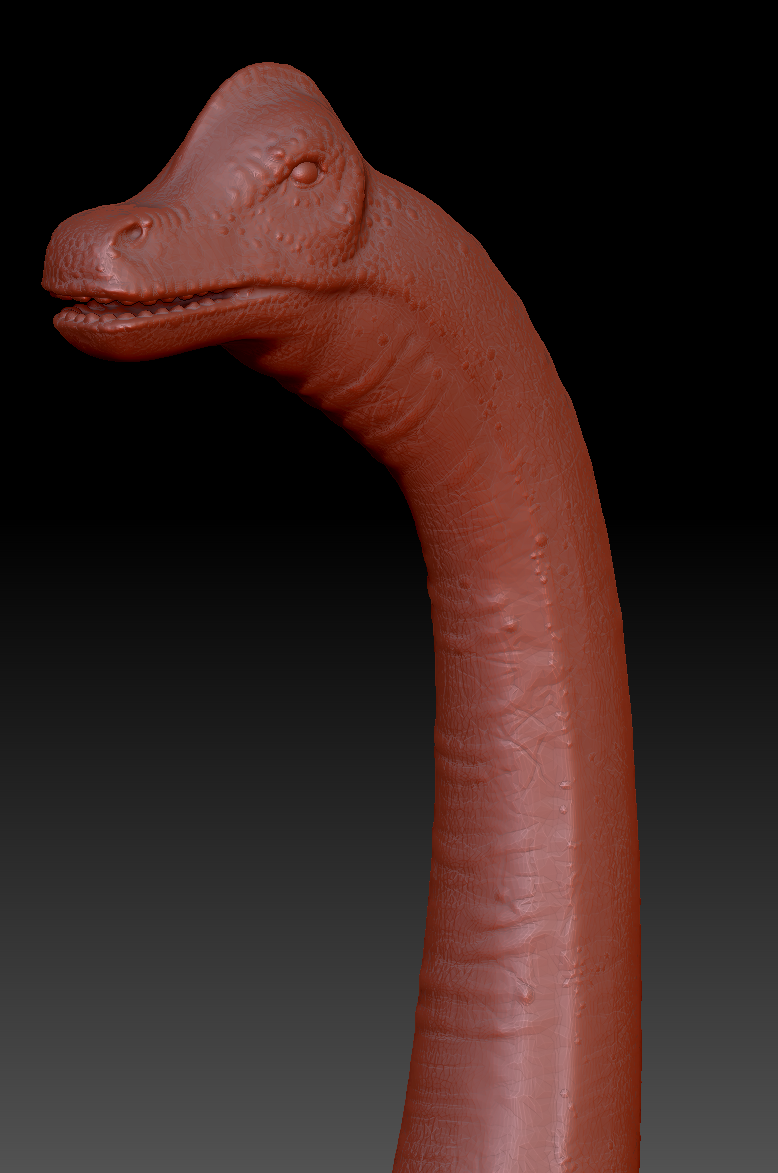
I’ve decided that at this moment I really need to have a dinosaur in my level. I’ve been using ZBrush before, but this time I’ve decided to create a base for the design inside the 3DS Max and then move into adding more details in this software. I find this way easier and quicker to get to the final wanted shape.

I was working on it for two days and finally finished it with the details that I think will looks great in the final scene. The dinosaur would be huge, so the details of the head won’t be as visible to the player, but I’ve decided that I still want to work on it a little bit.

Finished Dinosaur in ZBrush
Dinosaur Head

I am really happy with the result, as I haven’t work on creature design for a long time. This is a satisfactory result as for someone who had to remind myself of how to use this software. The next step will be to retopology this mesh using a ZBrush tool, bake it down with Substance Painter and rig and animate it at the end. I hope that the other parts of it will go as smooth as this one.

Old fashion Palm Trees

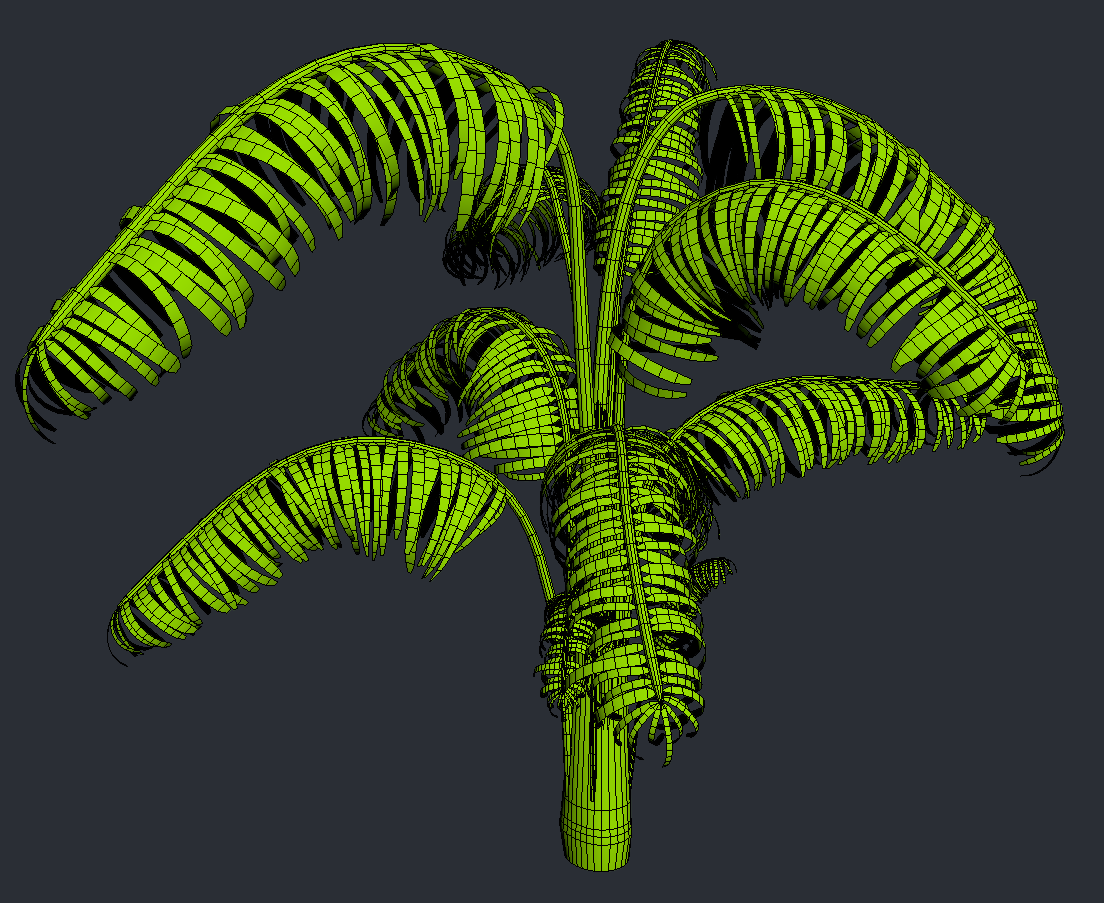
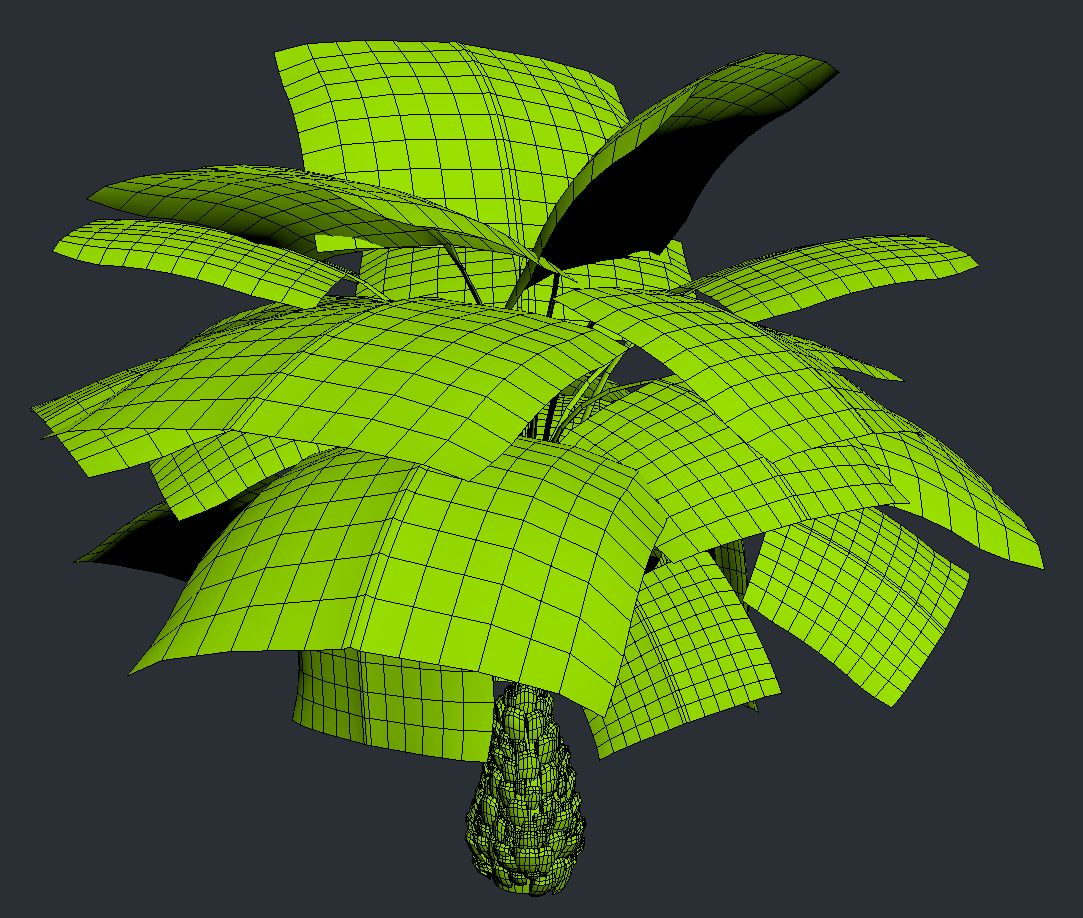
After considering the SpeedTree as a main software to create my foliage, I’ve been thinking about it for a while. I’ve eventually decided to make my trees an old fashion way – model them from a scratch. I don’t have enough time to learn a new software and experiment with it with unknown results. I’ve been working on my smaller trees just for two days, so I don’t think I could get this result with the software in such a short time. However, the small tress are not all the plants that I want to create for this project, so I’ll have to make more another time. So far this is looking good as it is.

I know that I should probably baking the second tree down to the low polygon shapes, but I’ve done some quick research to find out that the current tree limits are way above mine, so I’ll be fine.

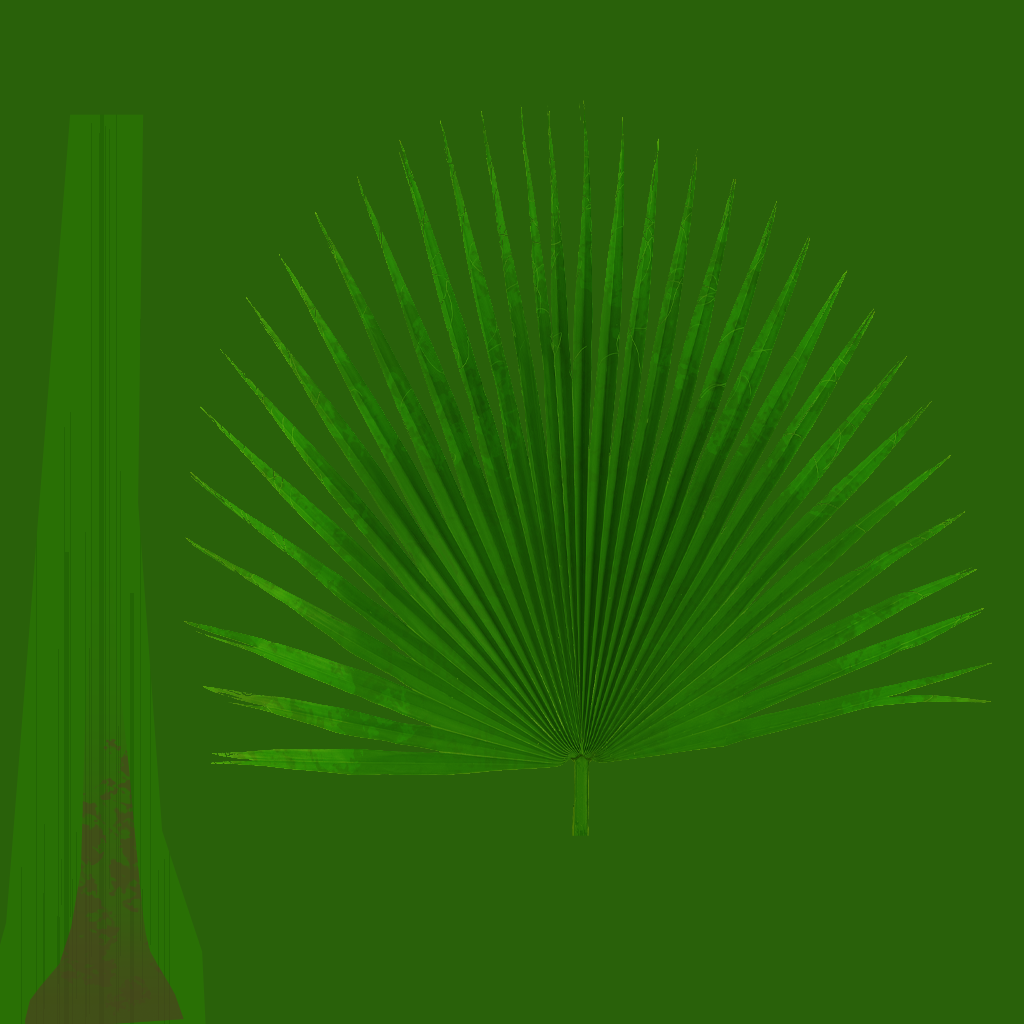
I’ve also already started working on the textures for the leaves. I’m using alpha channels to be able to get the final shape.

I’ve also made a normal map out of this texture, to get some more details onto the final leaves in UE.

SpeedTree 8.4 for realistic foliage!

I know that the software itself probably isn’t the newest discovery, but SpeedTree is getting better and better with every new version available. The software very quickly become a ‘favourite’ or a ‘must have’ for many environment artists and become the industry standard for the creation of vegetation in video games and other media, so why not have a closer look…

The latest version 8.4 has several new features. The best update is that it’s now using PBR materials that are nicely blended into the software itself. They allow to easily change colours, hue and other texture settings inside the software. This speeds up the process of creating the textures and gave an instant result that can be tweak in no time.

Speaking of which, the preview itself had an update in speed. It’s now working faster even with the high density and high resolution textures. It also works much better with the newest and most exciting update to the wind system!

Wind is an important aspect of every foliage as it gives the illusion of realism. Now SpeedTree is capable of creating a one-draw-call wind algorithm which gives much more natural feel. If that’s still not enough, you can even add bones to the trees and work on the custom animations!

Another very exciting addition is a Cutout Editor, that allows the used to make their own leaves or twigs fast and easy, inside the software.

At the end it’s also important to mention a huge variety of premade trees, bushes and plants on their marketplace website. The library is vast and vary from different types of foliage, that then can be manipulated to our own needs.

I’m a huge fan of this software and I’m planning to use it in the near future. My project is going to be heavily packed with different type of foliage, so SpeedTree is a great software that I have considered to use. However, I’ve barely used it before, so I may not have enough time to learn all the new features and produce substantial amount of foliage on time, considering where I am at with my project at the moment. I know that working with SpeedTree is speeding up the process of creating vegetation, but for the inexperienced used as me, can also be very addictive.


Kat, (2019), [online] SpeedTree 8.4 and New Trees, SpeedTree, Availiable at: https://store.speedtree.com/whats-new-in-v8-4-0/ , [Accessed: 15 Jul. 2019]

Still catching up…

I’ve spent this week on catching up with texture and material creation as well as more lab assets production. I still have lots to do until I could be even slightly satisfied with my work. I’m also still working on lab assets as well as terrain. The next week I’ll spend on populating the outdoor area with plants and vegetation. I really need to speed everything up and now I’m getting really stressed that I won’t be able to finish on time. I’ll have to focus on the areas that need my attention the most (TERRAIN!) to be able to get something fully finished before the deadline. The nicely made terrain will finally tide up everything together as I will be able to see what areas need an urgent focus. This will be my next step in my projec and I hope it will change a lot in my current stage.

Water? Or Rain?

Water plays an important role in many environments in modern games. In a form of a rain it appears in many open world locations, affecting the mood and adds an interesting overall effect. Sometimes the world have multiple weather conditions, that may affect level design, textures, the reactions of the NPCs or other more or lest important factors of the game. The rainfall is usually not constant and affected by the wind and physics (bounces off other objects, covers them with water, slides down from the windows etc.). But how well can designers recreate the actual reality of falling water?

15 Best Water Effects In Video Games 

Many different developers have their own way of creating a realistic effect of a rain. I’ve found a great article about that topic, that helped me orientate in the complexity of creating a rain in a game.

How developers make perfect rain in games

I’ve been planing to implement rain into my own project, but because I’m not as advanced in technical parts of UE, I’ve decided that I won’t have this effect in my work. It require further knowledge which I don’t posses and have no access to at the moment, so it will be really hard for me to be able to recreate a similar effect.


Nelson Jr. X., (2018), ‘How developers make perfect rain in games’, Avaliable at: https://www.pcgamer.com/how-developers-make-perfect-rain-in-games/ [Accessed:14 Jul 2019]